

VFX
18-11-2026
What Is Rotoscoping in VFX? Process, Techniques and Uses Explained
Read More ...
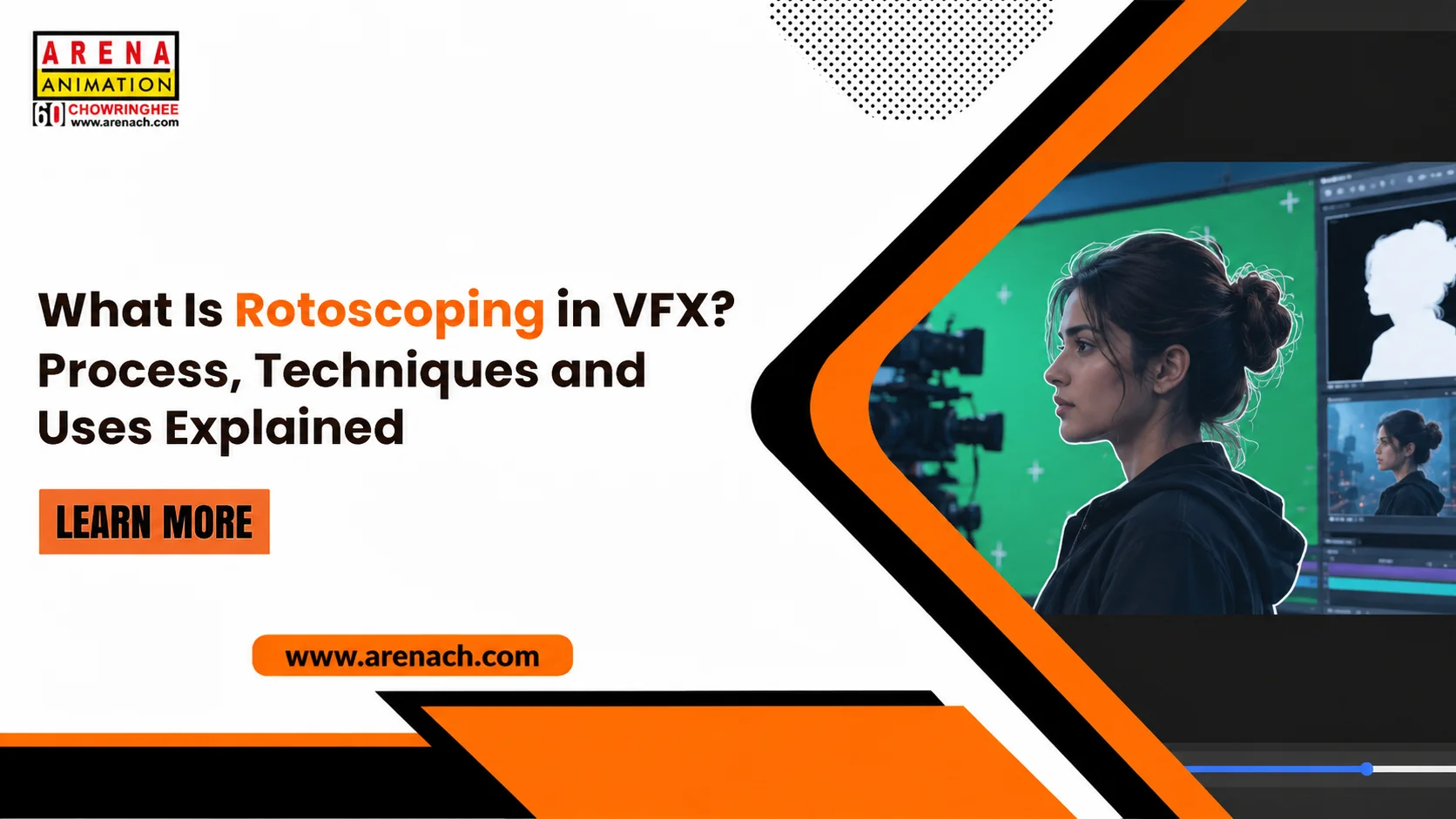
Have you ever noticed an actor appearing in a place that looks completely different from the original shooting location? This type of scene may involve rotoscoping. It is a visual effects technique used to separate people or objects from video footage. Once separated, artists can work on the selected part without affecting the rest of the scene. Rotoscoping is used in films, advertisements, music videos and other video projects.
Imagine a scene where an actor is walking along a busy road. The filmmaker wants to show the same actor against a different background. For this, the artist needs to separate the actor from the original footage. Rotoscoping helps with this task. The artist traces the subject frame by frame and creates a selection around it. This selection is known as a matte and can be used during further editing.
Rotoscoping begins with selecting the person or object that needs to be separated from the footage. The artist draws an outline around it using suitable software. As the subject moves, the outline must follow its position and shape. Some software can carry the selection across several frames, reducing manual work. However, the artist still needs to check the result and correct areas where the outline does not match the subject.
The process depends on the footage and the amount of detail required. A simple shot may take less time, while fast movement or overlapping objects can require more attention. The general steps are:
After these steps, the artist checks the matte again before using it in the final shot. Some frames may need extra corrections to keep the selection consistent throughout the video.
Artists use different rotoscoping methods depending on the subject and the movement in the footage. A technique that works for a still person may not be suitable for a fast-moving subject. Common methods include:
Tracing a person standing still may require fewer adjustments than following someone running across a busy scene. The artist selects a suitable method after reviewing the footage.
Rotoscoping is used when an editor needs control over a particular person, object or area in a video. The matte created during the process helps artists make changes without affecting the entire frame. Some common uses are explained below.
| Use | How Rotoscoping Helps | Practical Example |
|---|---|---|
| Background Replacement | Separates the subject from the original background. | Placing an actor in a different location. |
| CG Element Integration | Helps control how digital objects appear around a subject. | Showing a 3D object passing behind an actor. |
| Selective Colour Correction | Limits colour changes to a selected part of the footage. | Changing the colour of a jacket. |
| Green Screen Cleanup | Helps correct areas around a subject that keying has not removed properly. | Refining the edges around an actor. |
| Wire and Object Removal | Helps separate the subject from the area that needs editing. | Removing visible wires from a stunt scene. |
| Visual Effects Integration | Provides a selection that can be used while adding visual effects. | Adding a glow around a moving object. |
In a stunt scene, visible safety wires may need to be removed before the shot is completed. An artist can use rotoscoping to separate the actor from the surrounding area and make the required corrections. The same technique can also help with background changes and digital element placement.
Rotoscoping, keying and tracking are different processes used in visual effects. They may be used together, but each one has a separate purpose. Understanding these differences helps explain how artists prepare footage for compositing.
| Technique | Main Purpose | When It Is Used |
|---|---|---|
| Rotoscoping | Creates an outline around a subject to separate it from the background. | When a person or object needs to be isolated. |
| Keying | Removes a selected colour from video footage. | When green or blue screen footage is available. |
| Tracking | Follows the movement of a camera or object. | When digital elements need to match movement in a shot. |
| Clean Plate and Paint | Covers unwanted objects or marks in footage. | When wires, logos or other details need removal. |
Consider a scene filmed in front of a green screen. Keying can remove most of the green background, but some areas around the actor may remain. Rotoscoping can help correct those sections. If a digital object also needs to follow the camera movement, tracking is used for that purpose.
VFX artists use different programmes for rotoscoping, compositing and related tasks. Each programme has its own set of tools, so the choice depends on the type of project and the artist’s working method.
Beginners do not need to learn every programme at the same time. Starting with one tool and practising its basic features can help them understand how rotoscoping works.
Rotoscoping requires more than drawing a shape around a person or object. Artists need to follow movement, notice small changes and correct the selection across frames. Some useful skills include:
Working with short video clips is a practical way to begin. Once the basic steps become familiar, learners can practise with footage that has more movement and detail.
Rotoscoping is one of the skills used in visual effects production. It helps prepare footage for background changes, compositing and the removal of unwanted objects. Roto artists may work mainly on creating mattes, while paint artists and compositors handle other parts of the shot. Learning the process gives beginners an idea of how individual elements are prepared before a VFX scene is completed.
Rotoscoping helps artists separate people and objects from video footage so that selected parts can be edited independently. It is used for background replacement, wire removal, colour correction and adding digital elements to scenes. The process involves tracing outlines, adjusting shapes and checking the result across frames. Software can assist with some tasks, but careful review is still important for producing a usable matte.
Interested in learning how visual effects are created for films and videos? At Arena Animation Chowringhee, students can explore programmes in animation, VFX and digital content creation. Course options include the Advanced Program in Visual Effects, Advanced Program in VFX Compositing and Editing, and Advanced Program in VFX Film Making. The centre also offers Advanced Digital Graphics and Animation programmes in Maya and Blender, along with the Advanced Program in Animation with Unreal Engine. If you are looking for a vfx course in Kolkata, you can enquire about the available programmes, course content and admission process to understand which option suits your learning interests.
Rotoscoping is the process of tracing around a person or object in video footage to separate it from the background. The outline is adjusted as the subject moves through different frames.
It helps artists isolate subjects, change backgrounds, remove unwanted objects and refine areas that need correction. The selection can also be used while adding digital elements to a scene.
Adobe After Effects, Foundry Nuke, Silhouette, Mocha Pro and DaVinci Resolve Fusion are among the programmes used for rotoscoping and related visual effects work.
The basic process is easy to understand, but accurate tracing takes practice. Beginners can start with simple footage before working on clips with fast movement or detailed edges.
Green screen work removes a selected background colour from footage. Rotoscoping uses shapes drawn around a subject to separate it from the rest of the frame. Both techniques can be used together.
Yes. Beginners can start by tracing simple objects and following their movement across frames. With practice, they can learn to work with keyframes, mattes and more detailed footage.